
What you can spend, on the pages where you spend
The extension brings your Freeboard dashboard into the browser, where you book, buy and sell.
Add to Chrome (opens the Chrome Web Store in a new tab)Try the dashboard demo
Also on Edge and Brave · Safari coming soon
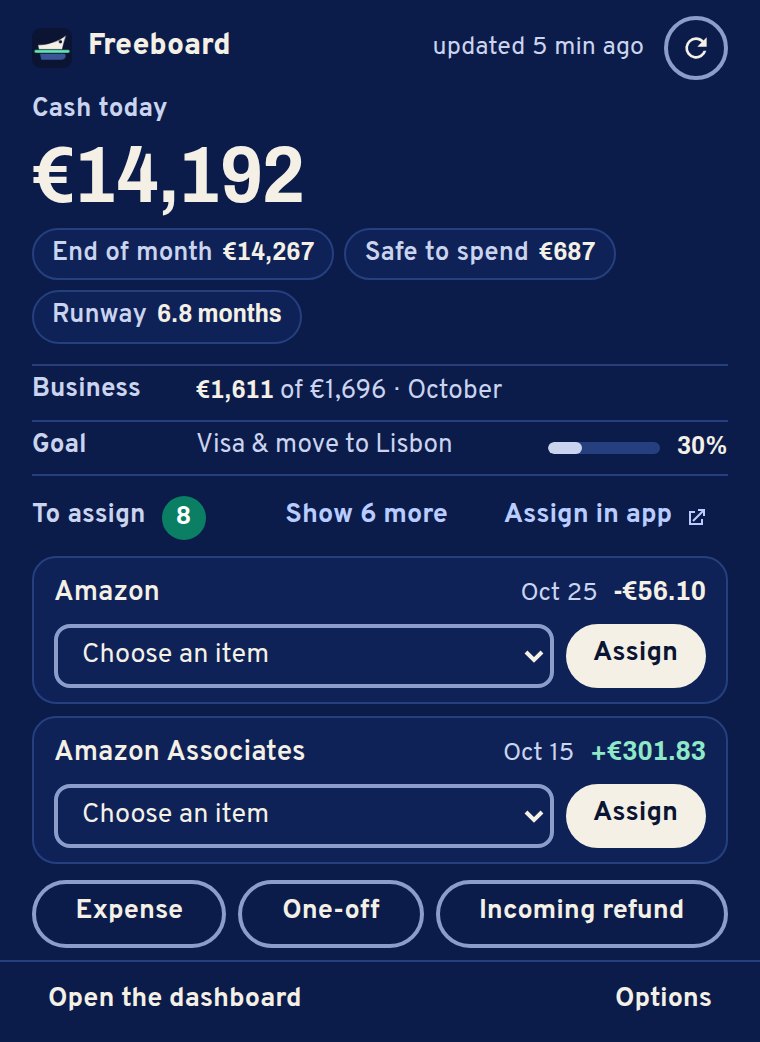
Your money, in one click
- Every morningCash today, end of month, safe-to-spend and runway, from the toolbar or with Alt+Shift+F (⌥⇧F on Mac).
- Your extra linesThis month’s business income, items to sell and incoming refunds, your closest goal: you choose what the summary shows.
- Transactions to assignUp to three at a time, each with a suggested item based on how you sorted the same payee before. The icon shows how many are waiting.
Will this stay fit your budget?
On Booking.com and Airbnb, the price of your dates is split by night across the months and checked against what is left of your accommodation budget.
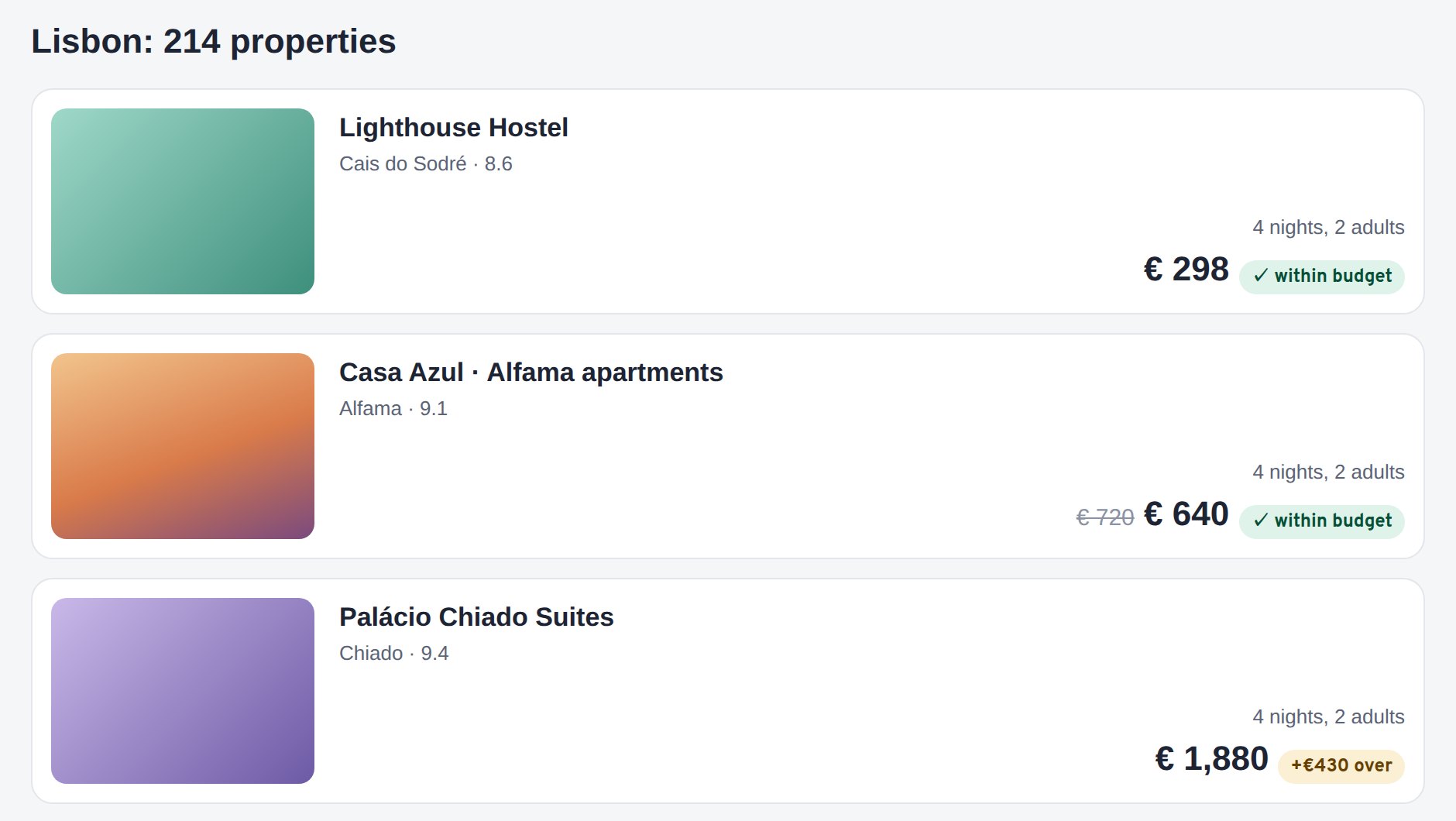
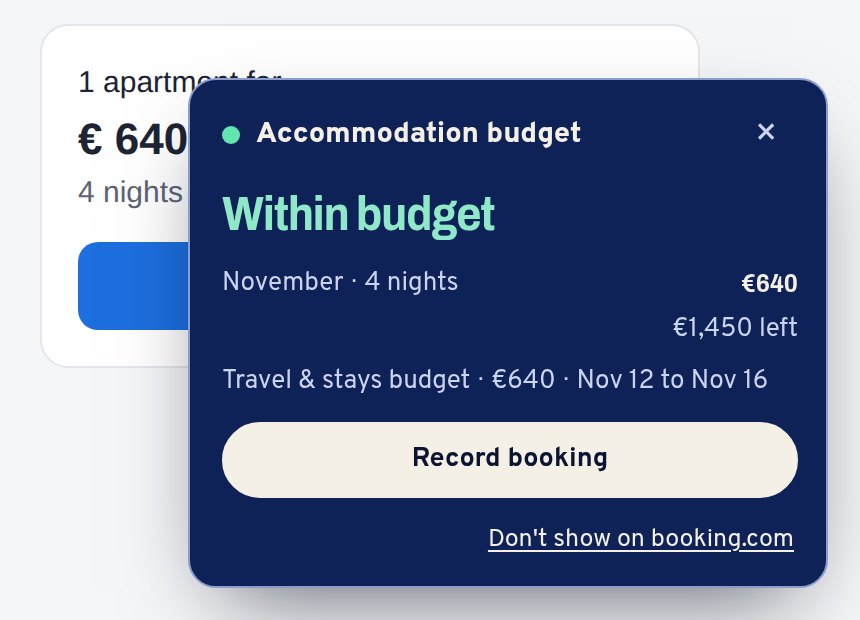
Record a booking and Freeboard keeps the budget of the following months up to date. If it goes over, it offers to raise the item by the difference only.
Record expenses where you pay
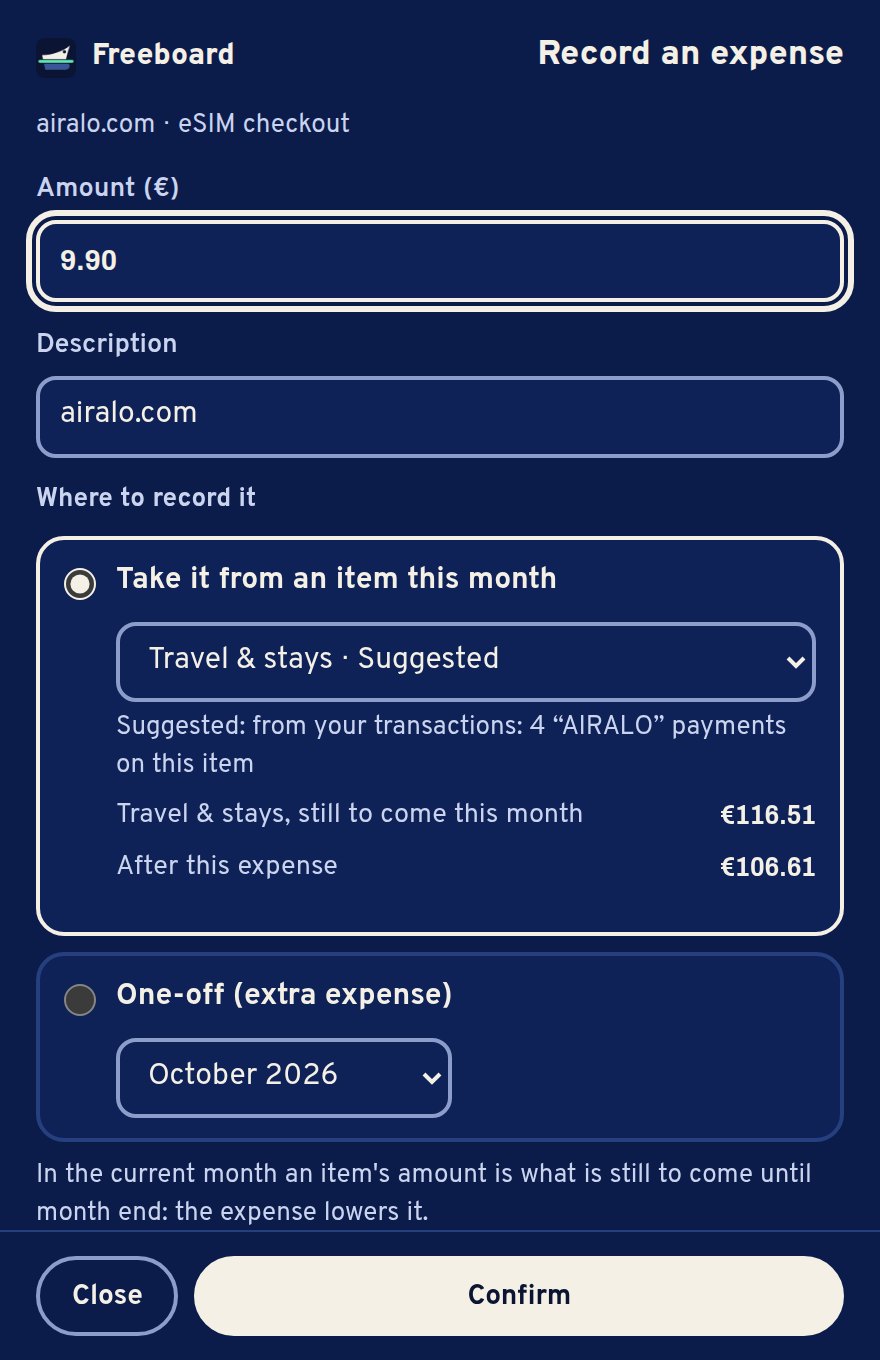
The amount comes from the page, the item from your own history.
- On any pageAlt+Shift+S (⌥⇧S on Mac) records an expense from the page you are on, with the selected amount if there is one.
- Right clickSelect an amount and record an expense or an incoming refund, or check a stay against your budget.
- AmazonRecent orders can be recorded from the order page; returns and refunded orders become incoming refunds, or are marked as received.
- At checkout, if you want itYour safe-to-spend next to the cart total. It is optional and asks for permission on all sites first.
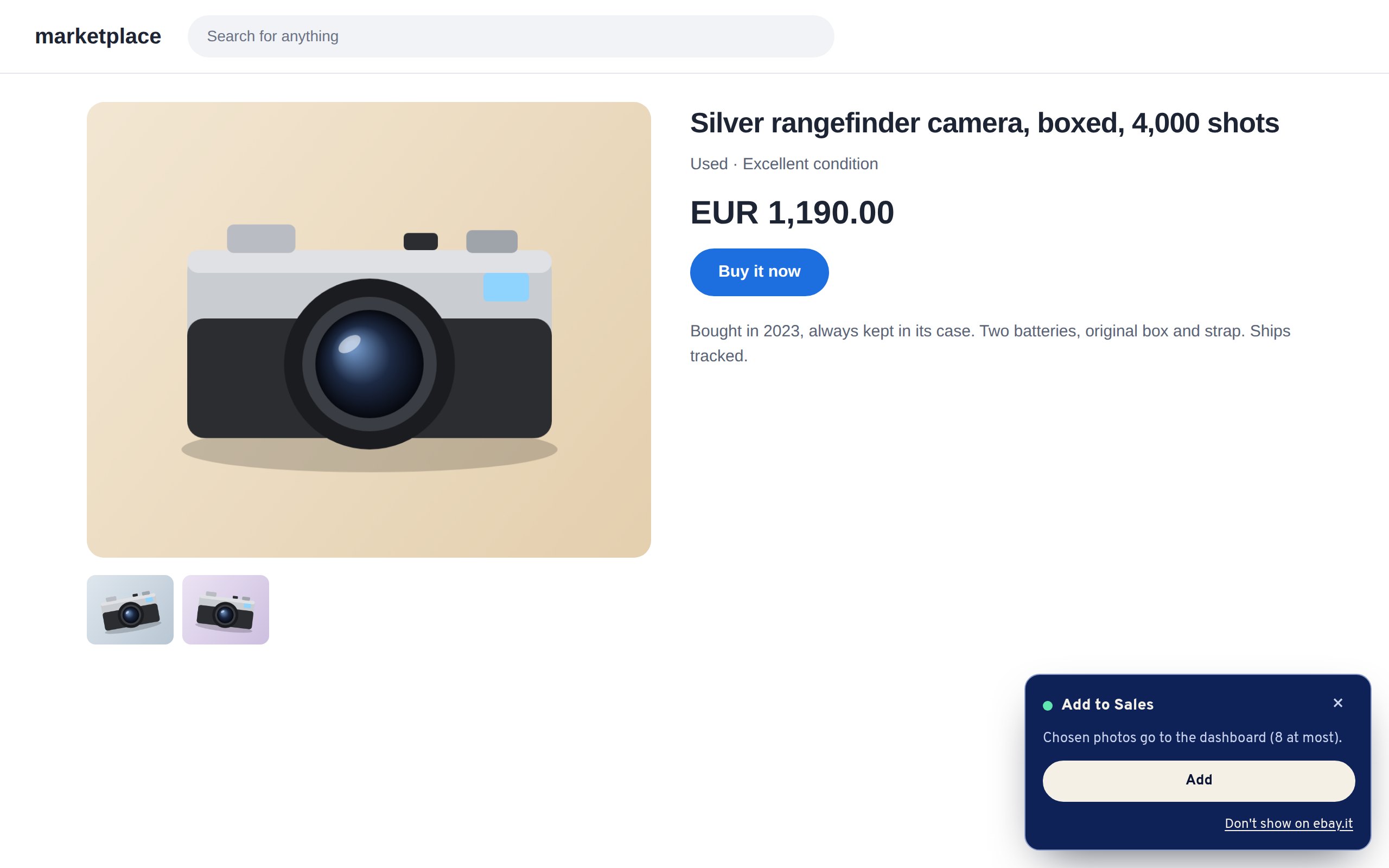
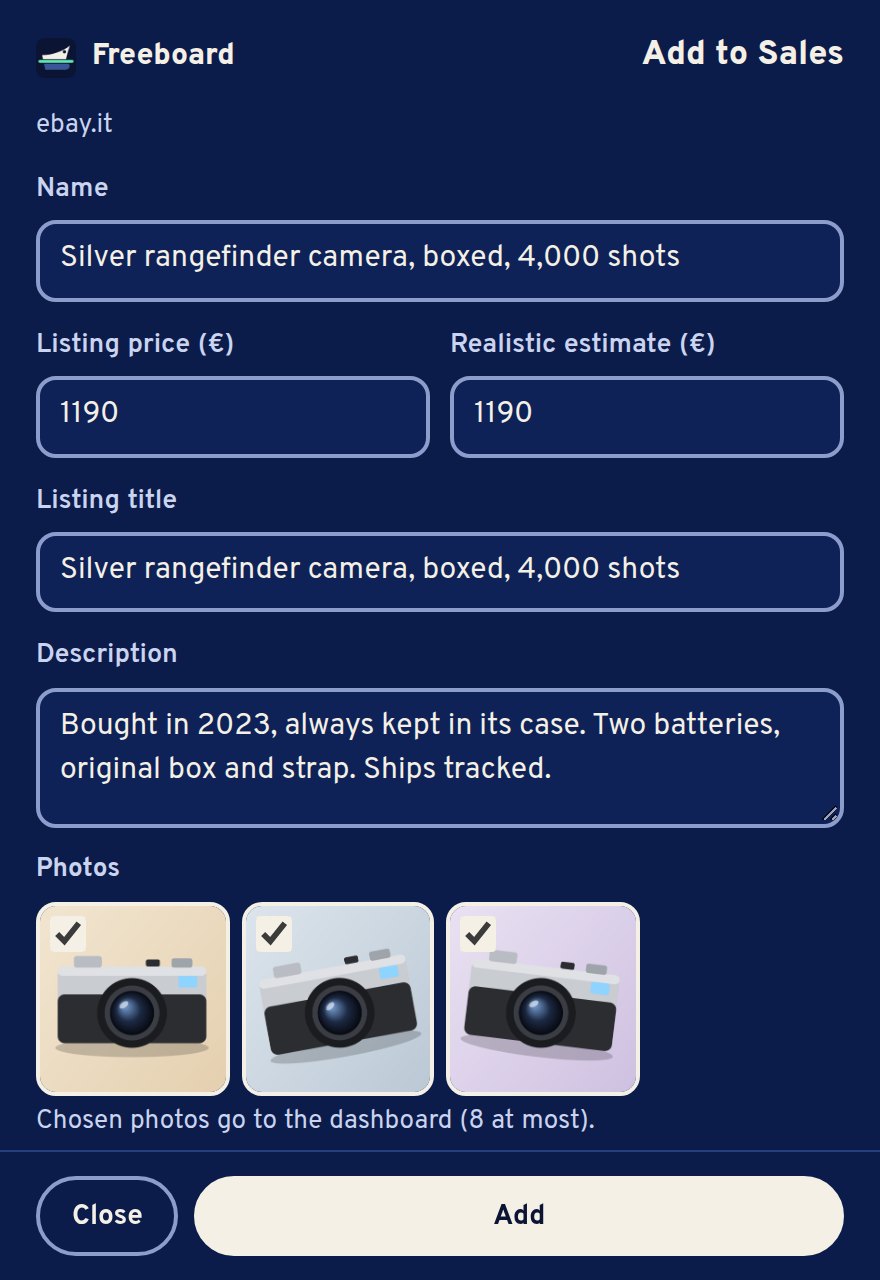
Sell your things faster
On eBay, Vinted and Subito, add a listing to your Sales with title, price, description and photos taken from the page. Mark it as sold when the money arrives.
Always your call
- Nothing is saved without your confirmation, and every change can be undone: the summary says which one.
- On websites the panel stays small, moves above the site’s own buttons, can be dragged where you like and hidden on any site.
- The extension talks only to the Freeboard dashboard you connect. Nothing is sent to the developers or to third parties. No tracking, no ads.
Where it works
Chrome, Edge and Brave on the computer, from the Chrome Web Store. Safari on the Mac is coming soon. No account yet? “Try the demo” in the extension’s options connects it to the public demo.
Start now, free for a year
Early access is open: the first 100 people get their own dashboard, free for the first year. Leave your email and your dashboard opens right away: choose a username and password and you’re in. Bank connections come later: for now you type your balances in.
Or try the demo firstNo sign-up, example data.