
What you can spend today, even when payday moves.
A budgeting app for freelancers with irregular income · not a bank
Your bank shows what you have. Freeboard shows what you can spend today without going below zero in the next 12 months, even when clients and platforms pay late or in other currencies.
Or try the demo firstNo sign-up, example data.
- Ready in a few minutes: import your bank’s export and type in your balances. No bank login.
- A planning tool: it doesn’t move or hold your money. Export or delete your data anytime.
- Made by Bytelegion OÜ, a small software and design studio in Estonia.
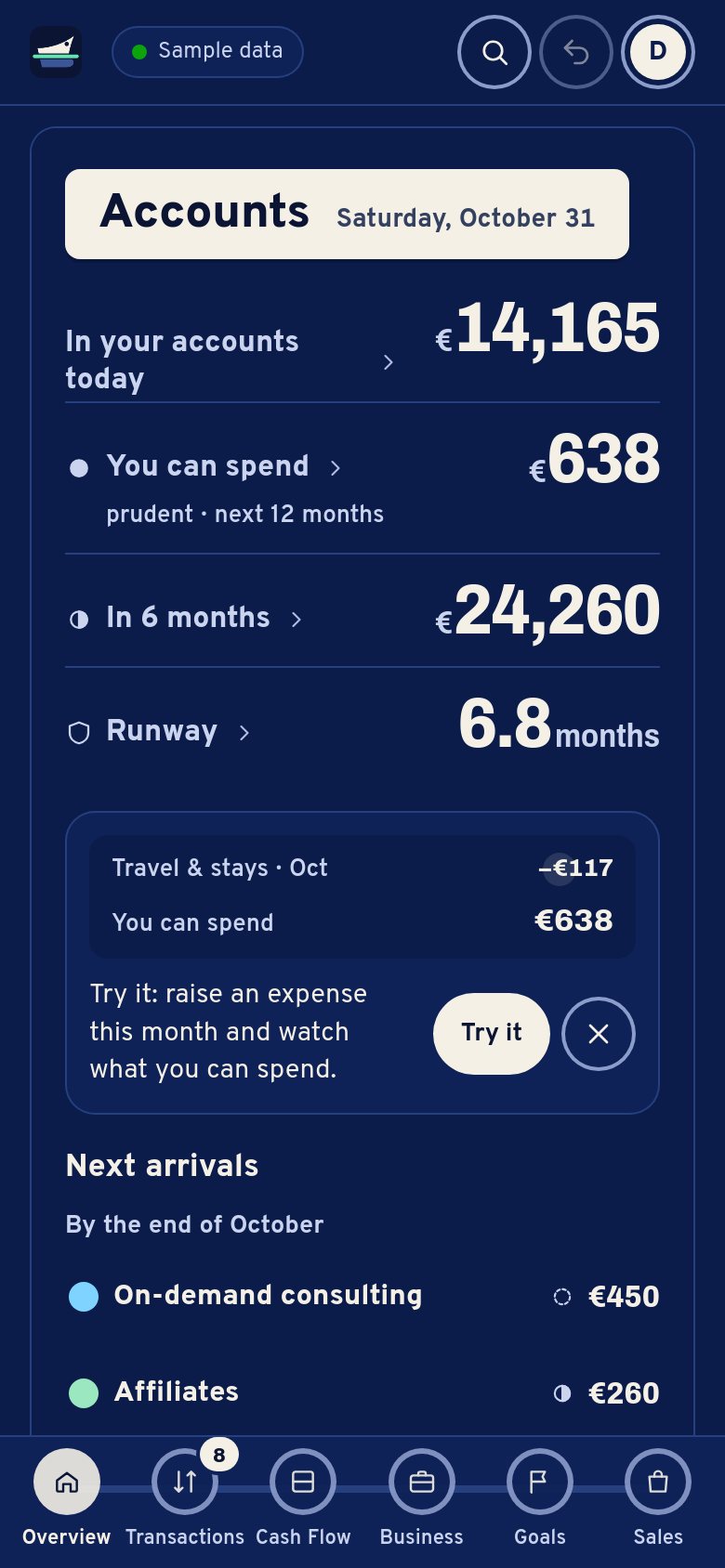
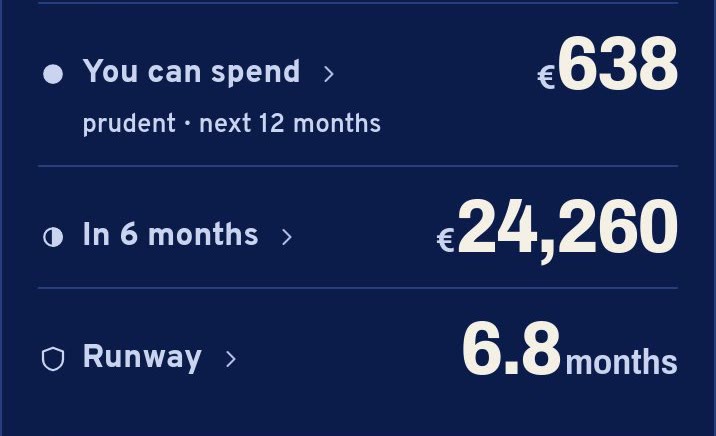
- One number, not a budgetWhat you can spend today, after the bills and taxes of the next 12 months, without touching your savings.
- In the accounts today
- 14,165 €
- Lowest point ahead, Decemberafter the bills, the taxes and the income you’re sure of
- 13,307 €
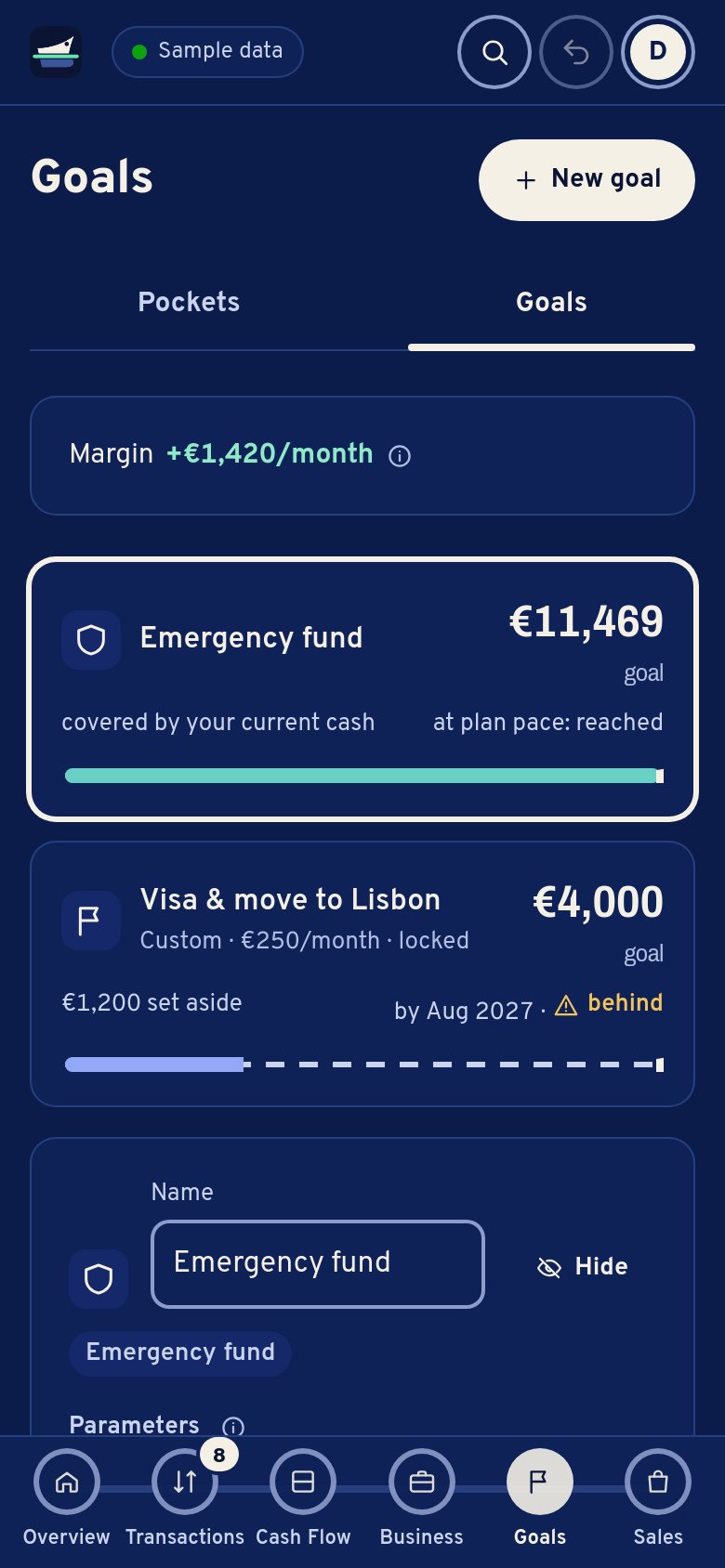
- Set aside: Visa & move to Lisbon
- −1,200 €
- Emergency fund, kept
- −11,469 €
- You can spend today
- 638 €
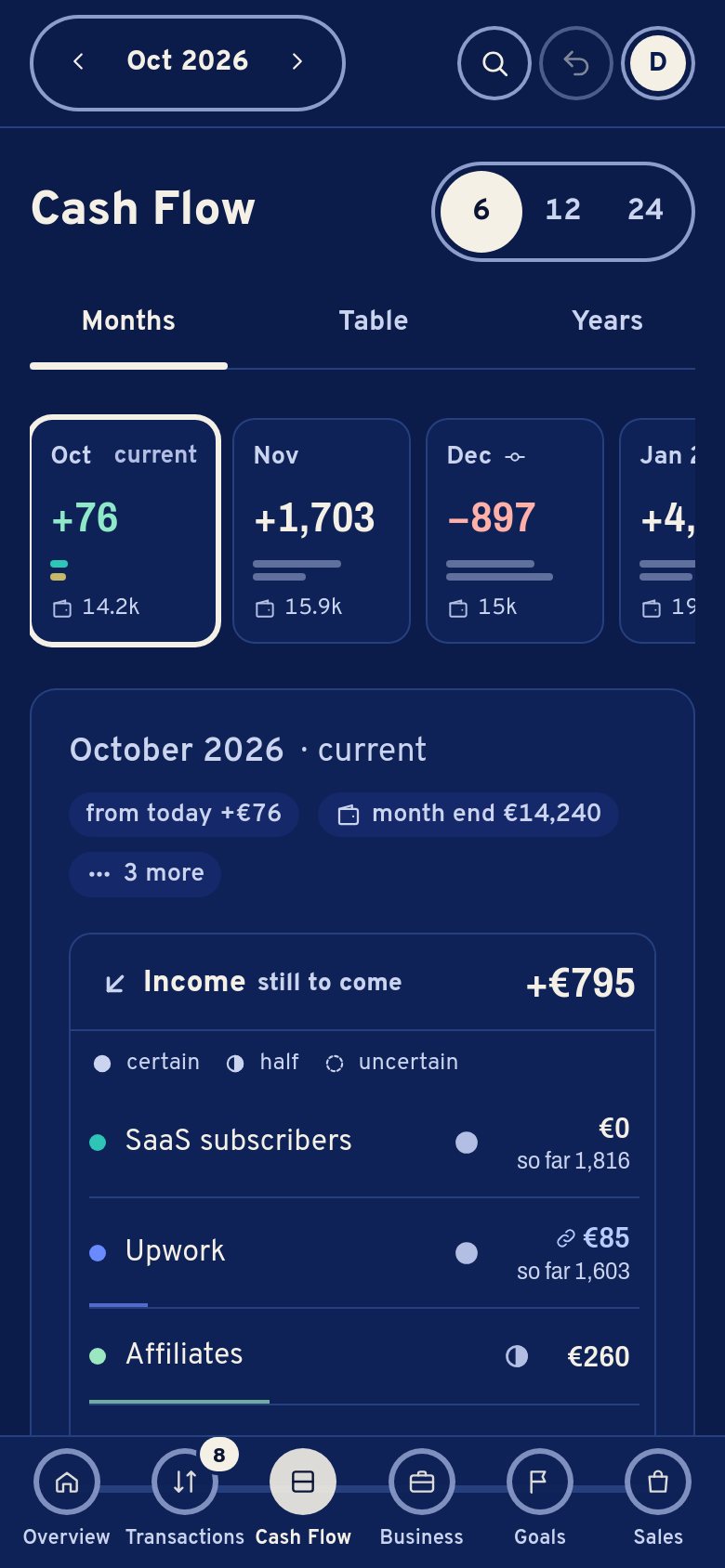
- The dips, months earlyEvery income and expense month by month, so a tax advance or a quiet month shows up in time.
- October
- +76 €
- November
- +1,703 €
- December
- −897 € tax advance
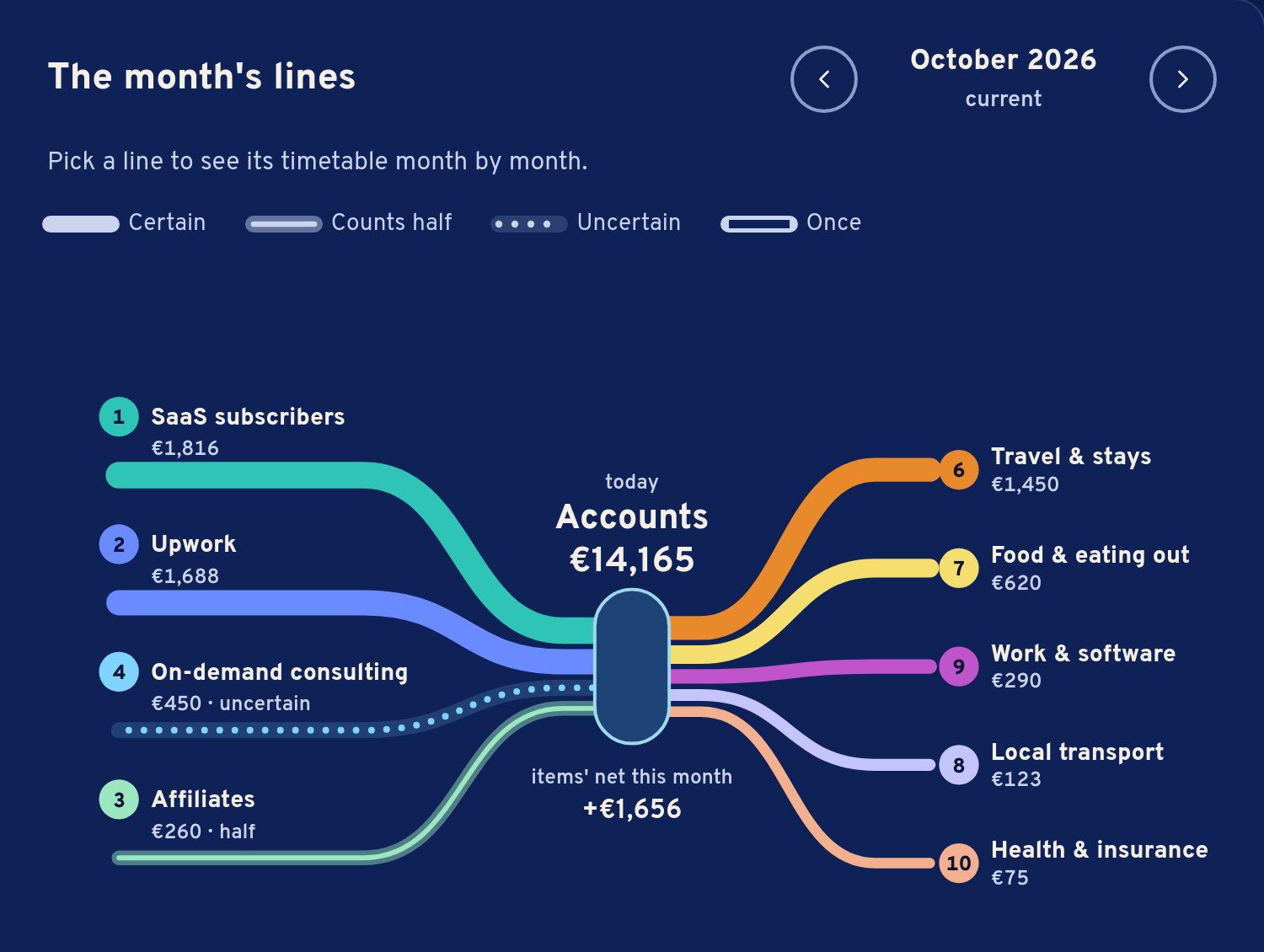
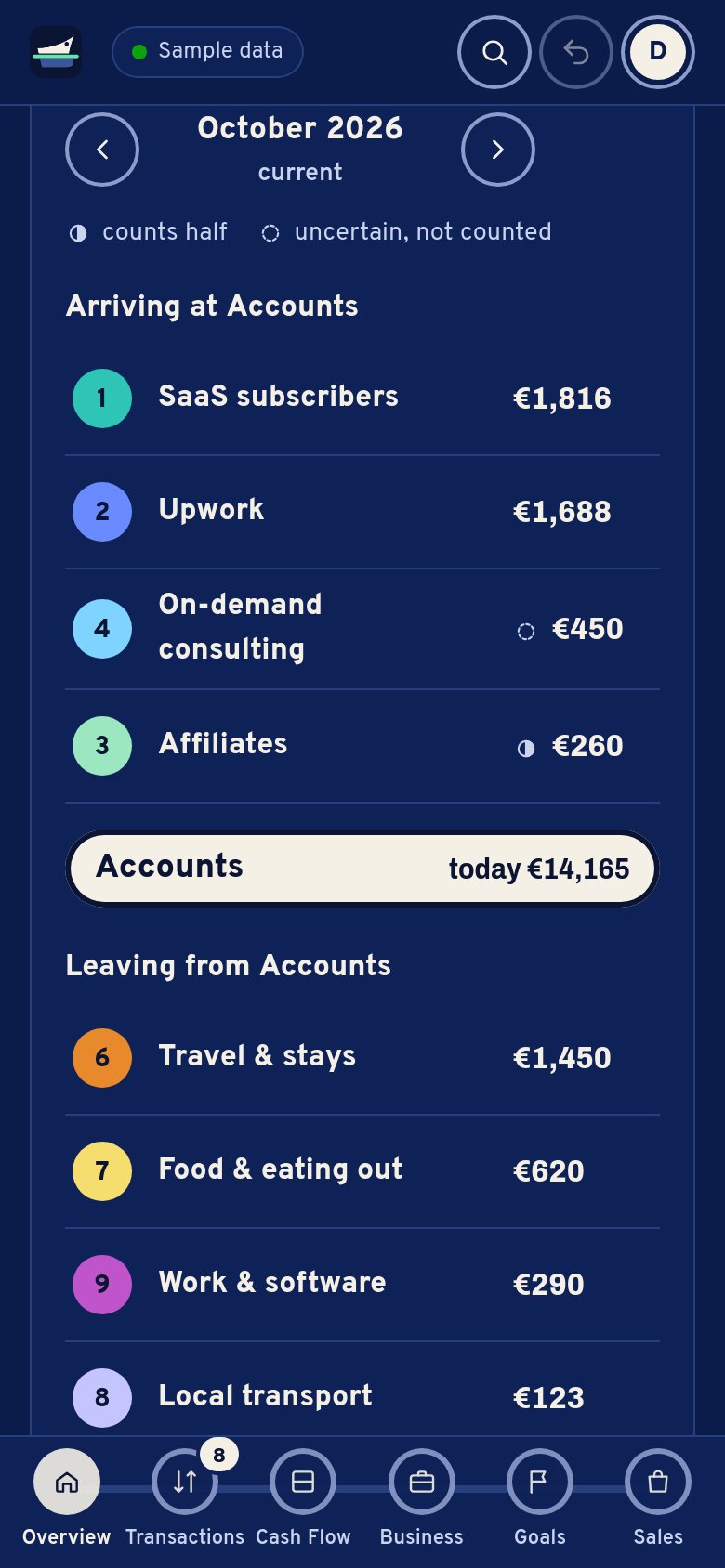
- All your income, one totalClients, Upwork, Fiverr, Stripe and PayPal, in several currencies, added up in euros.
- SaaS subscribers
- 1,816 €
- Upwork
- 1,688 €
- On-demand consulting
- 450 €
- Affiliates
- 260 €
- This month, in euros
- 4,215 €
Numbers from the demo, with example data.
Freeboard is a sailing word: the height between the waterline and the deck. The margin that keeps you afloat.
Drop in your bank’s export. Freeboard sorts it.
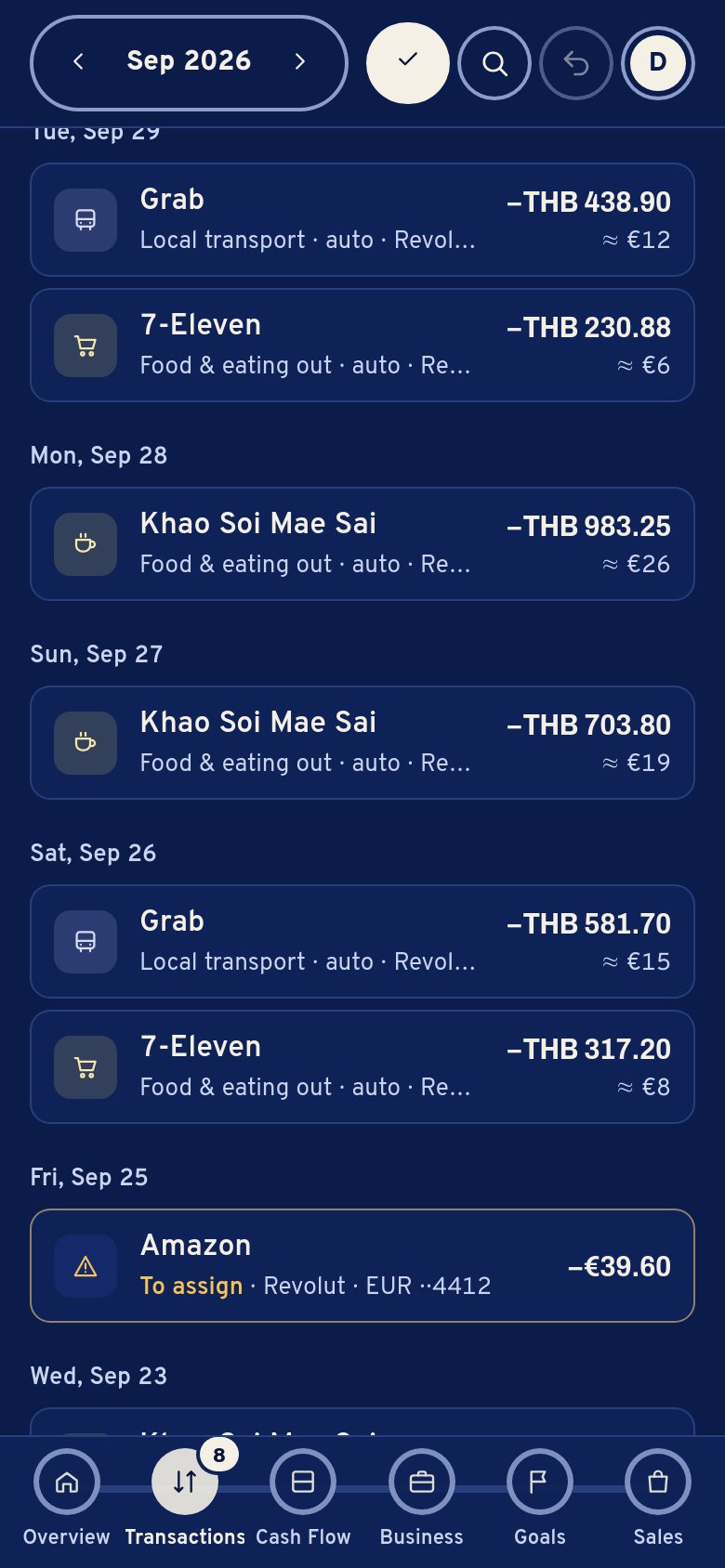
No bank login. Download your transactions as a file and import it: Freeboard recognises your bank’s format, converts other currencies to euros and works out what each line is. Whatever it can’t place goes to a short list, and one tap teaches it for next time.
| In your bank’s file | In Freeboard |
|---|---|
Nov 3UPWORK ESCROW INC+850.00 USD | IncomeUpwork, ≈ 793 € in euros |
Nov 5GRAB* A-8XK2 BANGKOK−245.50 THB | Transport≈ 6.45 €, under your item for getting around |
Nov 7NETFLIX.COM−13.99 EUR | Subscriptionfound from the monthly charge, with the next date |
Nov 8To EUR Savings−300.00 EUR | Transferbetween your own accounts: not a spend |
Nov 9Refund from AMAZON EU+34.99 EUR | Refundmoney coming back, not income |
Nov 10ACME CLIENT LLC+1,650.00 EUR | New itempaid 5 months out of 6: “Acme Client LLC, about 1,660 € a month” goes into your Cash Flow with one tap |
Example lines, as a Revolut or Wise export shows them.
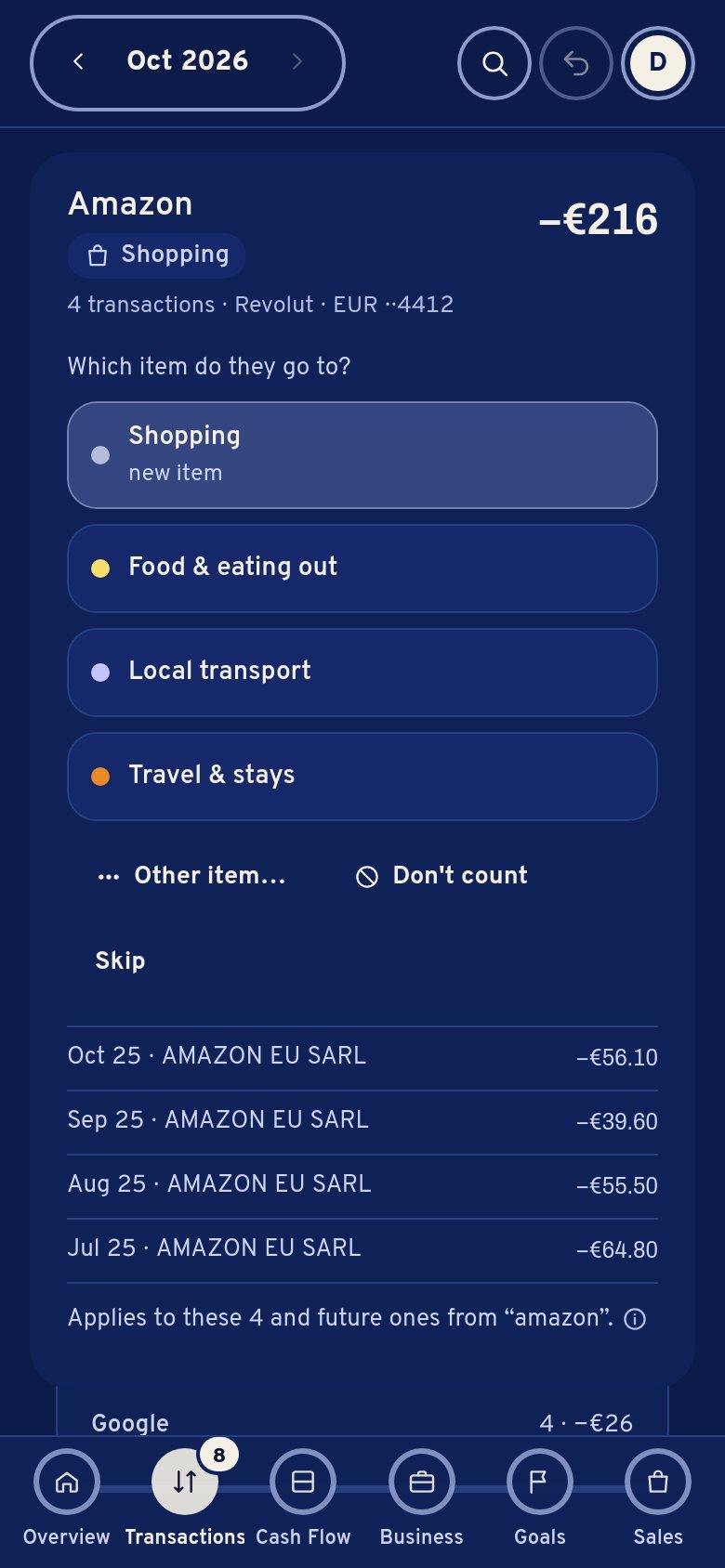
- Any bank with a downloadCSV, Excel, OFX/QFX, QIF or CAMT.053, years of history included: Chase, Bank of America, Revolut, Wise, N26, Fineco and more. Importing the same file twice doesn’t double anything.
- Your Cash Flow, proposedFrom the first import, clients who pay every month and fixed costs like rent come back as ready-made items: you tick the ones you want.
- A nudge on MondaysIf your last import is more than a week old, an email reminds you, and so does the dashboard. One switch turns it off.
Try it in the demo with your own fileThe demo reads your export and shows the lines; nothing is saved.
Made for money that arrives when it arrives
Freeboard also reads the platforms that pay you. Your bank transactions come from the file your bank lets you download; bank connections come later.
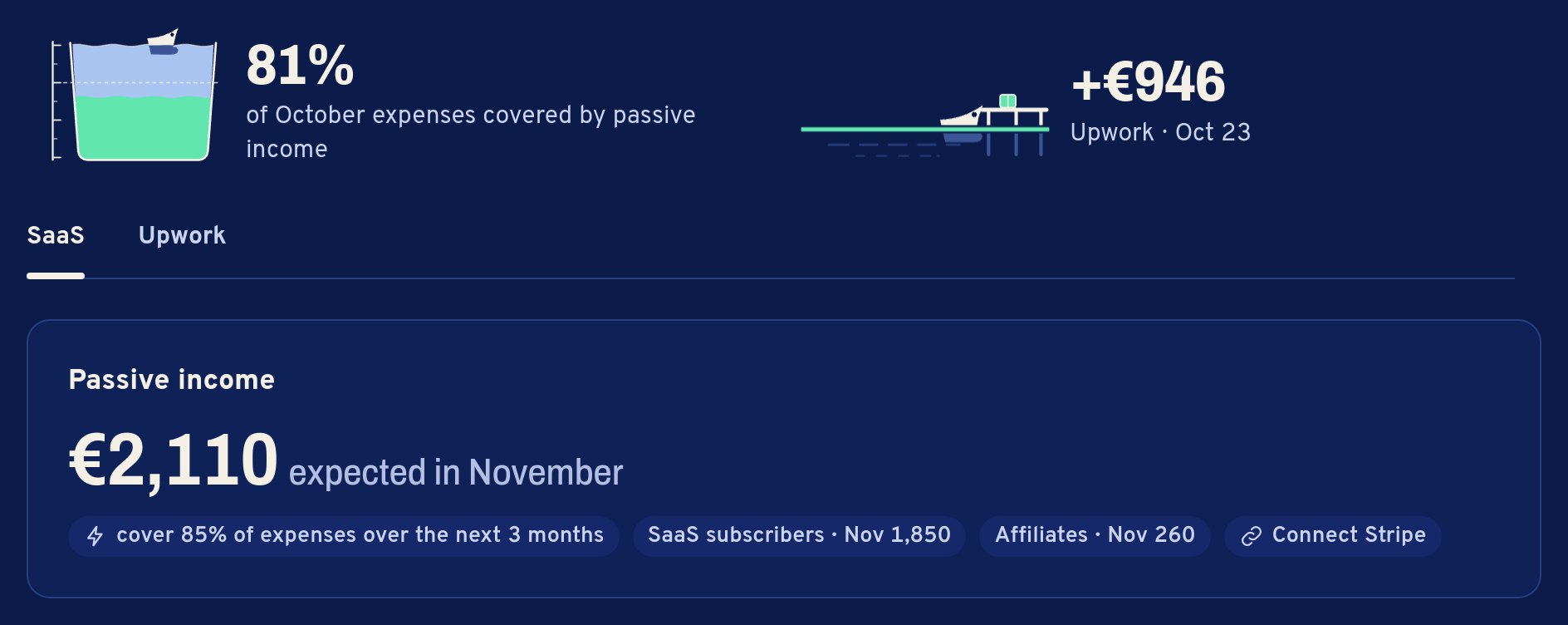
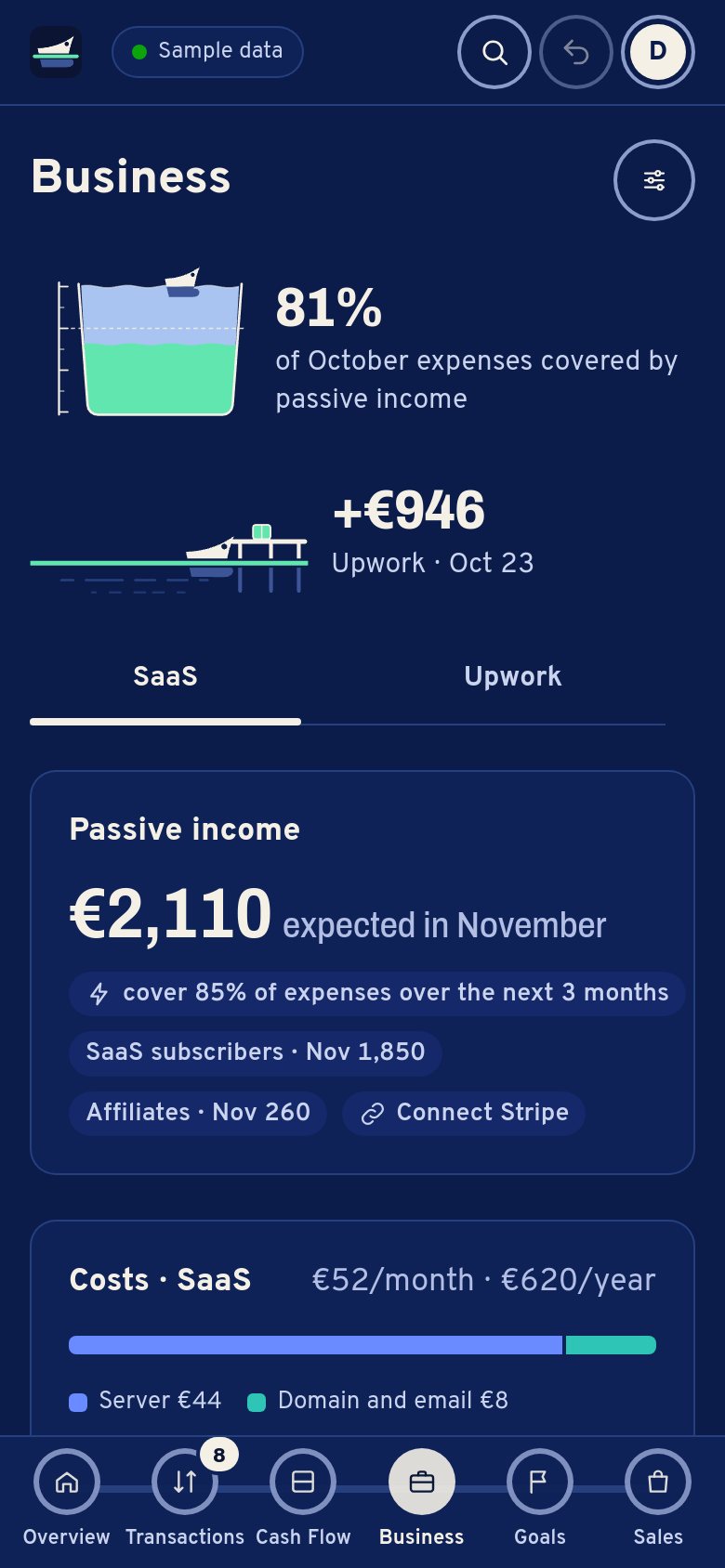
- Pockets for taxes and plansA share of every payment for taxes, or a sum each month for a trip. A pocket can live only in Freeboard, or in a real one at your bank (Revolut, Wise, N26): then Freeboard tells you how much to move there, and when.
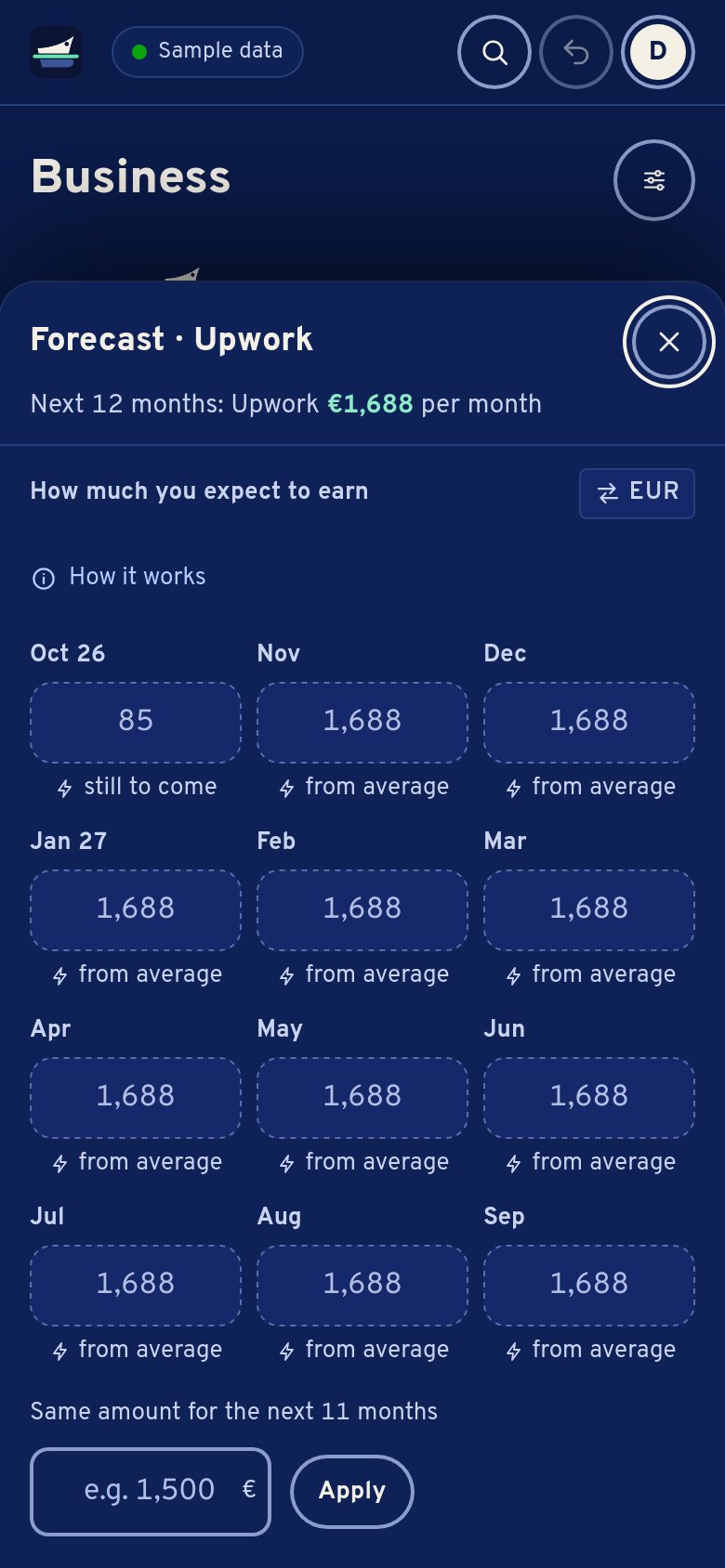
- Fiverr and UpworkImport Fiverr’s earnings CSV: the next months are forecast from the last three. Upwork and Fiverr payouts are also spotted among the transactions you import from your bank.
- StripeAdd a read-only Stripe key in Settings: subscription renewals are read from Stripe, and payouts on their way count in the month they reach your bank. Selling hosting? WHMCS or Paymenter renewals too.
- PayPal, read onlyBalance and payments next to your accounts, fees included. Freeboard never moves money.
In your browser, where you spend
The extension brings Freeboard to the pages where you spend. It talks only to your dashboard and saves nothing without your OK.
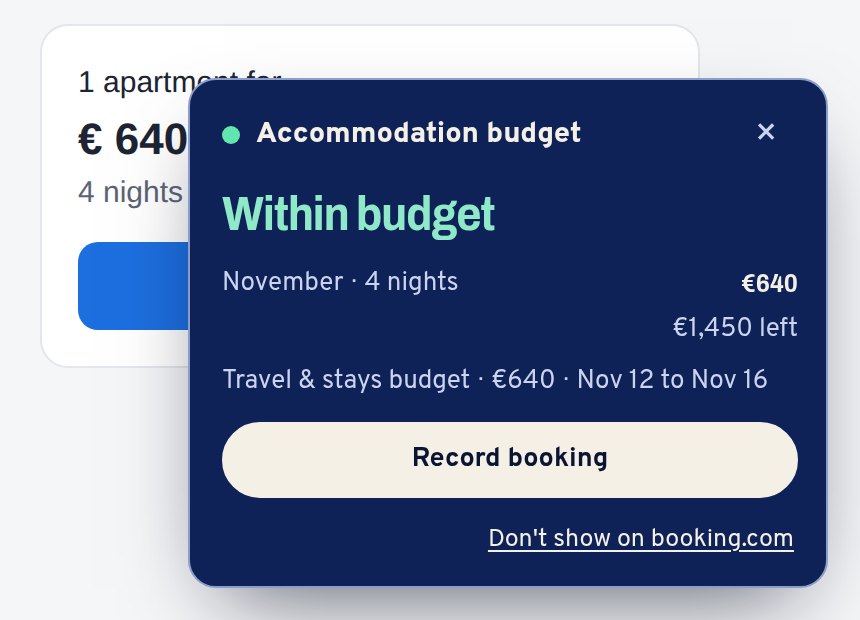
- Every morningCash, what you can spend and transactions to assign, one click away.
- On Booking.com and AirbnbThe price of your dates, split by night and checked against your stays budget.
- At checkoutWhat you can spend next to the cart total; the expense recorded in one click.
- On eBay, Vinted and SubitoWhat you sell goes into Sales, with the listing’s price and photos.
Add to Chrome (opens the Chrome Web Store in a new tab)Get it for Safari (opens the Mac App Store page in a new tab)Connects to your dashboard or the demo · also on Edge and BraveSee what it doesWhat the extension reads
Your data, yours alone
One dashboard, one person: nobody else sees your numbers. We never sell your data or use it for ads. Your email isn’t in your dashboard: we keep it apart, encrypted, and use it only for the emails about your account.
Hosted by Bytelegion on a server rented from IONOS in Germany, in the European Union, with a backup every night.
- Your bank, without a login
- In early access you import the export you download from your bank: Freeboard never asks for your bank password, and it can’t move money. Automatic reading through Enable Banking, an authorised PSD2 provider, comes later.
- Take it all, or delete it all
- Export everything to a JSON file whenever you like. Or delete it all from Settings: transactions, accounts, history and connections.
- The AI assistant, only if you connect it
- Nothing is read until you add Freeboard in Claude or ChatGPT and approve it; disconnect it in Settings. It asks before any change and treats bank and client text as data, never as instructions.
Guides and tools
Free, without signing up: the method behind the number, and honest comparisons.
- Safe to spend calculatorWhat you can spend today, twelve months ahead. Runs in your browser.
- Budgeting on irregular income in EuropeIncome by certainty, a salary, an emergency fund, taxes.
- Multi-currency budget, free templateDollars, pounds and euros in one plan, with a spreadsheet.
- Upwork, Fiverr and Stripe payouts in eurosWhat actually lands in your account, and when.
- Freeboard comparedYNAB, PocketSmith and Lunch Money: where each is stronger.
- Can you afford GTA 6 today?Console and edition against your real numbers, before you buy.
- GTA 6 money plannerHeists, jobs and garages: what you can buy in Vice City, and when.
Questions
Is Freeboard a bank or a payment app?
No. Freeboard is a planning tool: it doesn’t hold, move or invest money, and it can’t make payments. It reads the numbers you type in and tells you what you can spend.
Is the demo the real app?
Yes, with invented data. Change anything you like: it stays in your browser tab until you reload.
Which banks does it read?
Any bank that lets you download your transactions. Import the file (CSV, Excel, OFX/QFX, QIF or CAMT.053), years of history included: Chase, Bank of America, Wells Fargo, Capital One, Citi, American Express, Discover, Revolut, Wise, N26 and Fineco are recognized on their own, and for other banks you pick the date, amount and description columns. Balances you type in. Automatic reading of European banks through Enable Banking (PSD2) comes later.
Which languages and currencies?
English and Italian. Totals are in euros; other currencies are converted at the European Central Bank reference rate.
How much does it cost?
The first 100 people in early access get the first year free. After that it’s US$9 a month or US$79 a year, the same price for as long as you stay. Email only, no card, nothing charged automatically: before the free year ends we ask whether you want to continue.
Does it work with Claude and ChatGPT?
Yes. In ChatGPT, search Freeboard among the plugins; in Claude, you add it as a custom connector. The assistant reads your numbers and asks before any change; every change can be undone.
How is Freeboard different from YNAB, PocketSmith or Lunch Money?
YNAB budgets the money you already have, PocketSmith projects your balances, Lunch Money tracks a multi-currency budget. Freeboard starts from one number: what you can spend today without going below zero in the next twelve months, counting only income you can rely on.
How do I budget with irregular income?
Count certain income in full, half-certain at half, uncertain not at all. Keep your emergency fund and tax share out of what you spend. Freeboard does it month by month, twelve months ahead.
How do I delete my email or my dashboard?
Your email: the form in the privacy notice sends you a link that removes it from the list, and the emails you got when you signed up have the same link; your dashboard stays as it is. Your dashboard: keep a copy with Export data in the account menu, delete all its data from Settings, or write to support@freeboard.money to close it: we delete it within 30 days.
How to start
- Early access
- Open now: your own dashboard, hosted by Bytelegion. Nothing to install: it opens in the browser, on your phone or computer.
- What you need
- A browser, your bank’s transaction export and a few minutes to type in your balances; bank connections come later. For the AI assistants, a Claude or ChatGPT account with connectors.
- The demo, today
- The real app with example data, no sign-up: try it before you leave your email.
Start now, free for a year
Early access is open: the first 100 people get their own dashboard, free for the first year. Leave your email and your dashboard opens right away: choose a username and password and you’re in. Bank connections come later: for now you import the transaction export from your bank and type your balances in.
Alex can spend today, in the demo638 €
The live demo on 31 October 2026, day 31 of Alex’s month
Or try the demo firstNo sign-up, example data.